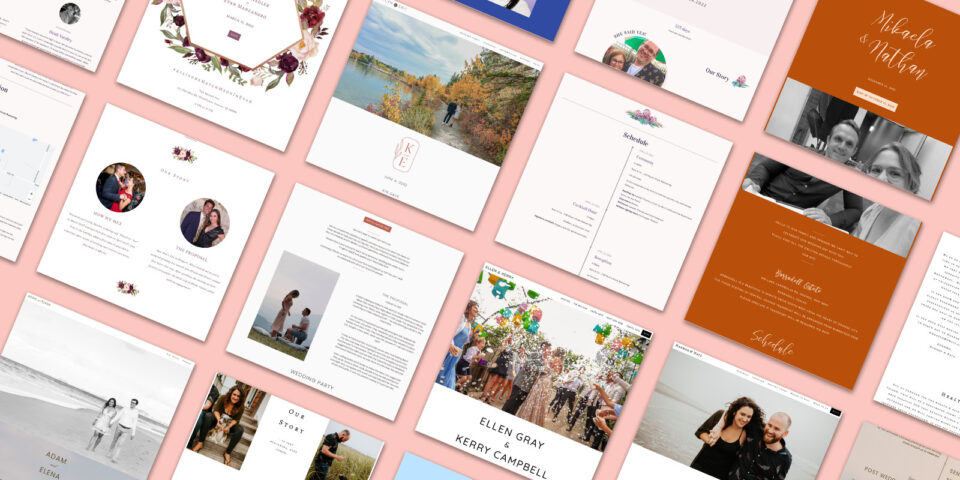
Free wedding websites are everywhere – but what do you actually get for free, and when is it worth upgrading?
Whether you want somewhere to share your wedding details, collect RSVPs, or help guests find their accommodation, a wedding website can make planning a little easier. The tricky part is that not every free website builder offers the same features!
In this guide, we’ll compare some popular free wedding website platforms, walk you through creating your site, and help you decide which features are worth paying for.
Step 1: Choose a Free Wedding Website Platform
Before you start choosing fonts and uploading engagement photos, think about what you need your wedding website to do. Maybe you just want to share the essentials, or perhaps you need help managing RSVPs and multiple events.
Here are five popular platforms to consider:
WedSites
WedSites lets you build a fully customizable starter website for free, with advanced features like online RSVPs and guest management tools available on upgraded plans. You can explore themes and personalize your design during the free trial, but you’ll need a paid plan to publish your site.
The Knot
The Knot offers free, publishable wedding websites with customizable templates, registry links, and online RSVP tools. Couples can share important details, communicate with guests, and manage responses in one place without paying for a basic website.
Zola
Zola offers free wedding websites with customizable templates, registry integration, and online RSVP tools. Couples can share wedding details and link their registry directly from their website.
Minted
Minted offers free wedding websites with a range of customizable designs, guest list management and online RSVPs. Couples can also include registry links and coordinate their website design with their wedding stationery.
Wix
Wix is a general website builder rather than a wedding-specific platform. Its free plan lets you publish a customizable website with Wix branding, although wedding-specific features (such as RSVP management) may require additional integrations.

Step 2: Choose a Template and Add Your Wedding Details
Once you’ve chosen a wedding website platform, start with a template that suits your wedding style. Whether you’re planning a relaxed backyard celebration or a formal black-tie reception, a good template gives you a starting point without requiring any design experience.
Next, add the essentials:
- Your wedding date and time: Make sure guests know when everything begins.
- Ceremony and reception locations: Include addresses and links to directions or maps.
- Your story: Share a short introduction to how you met or got engaged. A few personal details can make the site feel more like you!
- Photos: Add engagement photos or a few favorite pictures together to bring the design to life.
You don’t need every detail finalized before getting started. You can build the basics first and update your website as plans come together.
Step 3: Personalize Your Wedding Website
Now it’s time to make the website feel like yours. Choose colors and fonts that complement your invitations, upload custom illustrations, or add extra pages with useful information for guests.
For example:
- Travel and accommodation recommendations.
- Dress code guidance and answers to common questions.
- Registry links for gifts or honeymoon funds.
- Separate pages for your welcome drinks, rehearsal dinner, or post-wedding brunch.
Free plans vary in how much customization they allow, so check whether you can change colors, fonts, layouts, and page content. And if you’re hosting multiple events, look for guest-specific invitations or privacy settings that help ensure guests only see the celebrations they’re invited to.
It’s also worth previewing your website on a phone before sharing it. Guests will often open the link from a text message or invitation, so make sure the important details are easy to find on a smaller screen.
Free Wedding Website Platforms Compared
Still deciding which free wedding website platform suits your wedding? Here’s a quick overview of what’s included for free – and what you might pay for.
| Platform | What’s Free? | What You’ll Pay For |
| WedSites | Website builder and templates; website customization and preview | Publishing your website; online RSVPs and guest list management; advanced planning tools; custom domain (optional) |
| The Knot | Website builder and templates; published wedding website; online RSVPs and guest list tools; registry integration | Custom website domain (optional) |
| Zola | Website builder and templates; published wedding website; online RSVPs and guest list management; registry integration | Custom website domain (optional) |
| Minted | Website builder and templates; published wedding website; online RSVPs and guest list management | Custom website domain (optional); premium design services |
| Wix | Website builder and templates; published wedding website; additional apps and integrations | Removing Wix branding; custom website domain (optional) |
Note: Plan details can change, so check each provider’s current terms before committing.

Pros and Cons of Free Wedding Websites
Free wedding websites can be a great way to share your wedding details without adding another expense to your budget. However, the features available vary between platforms, so it’s worth weighing up the benefits and limitations before choosing one.
Pros of Free Wedding Websites
- No upfront cost: Create a wedding website without paying for a subscription or premium plan.
- Quick and easy setup: Templates make it simple to add your wedding details without needing design or coding skills.
- Everything in one place: Share your date, venue, travel information, and registry links with guests.
- Great for simple weddings: If you only need to share the essentials, a free website may offer everything you need.
- Easy to update: Make changes to your wedding details as plans come together, without having to contact every guest individually.
Cons of Free Wedding Websites
- Limited customization: Some platforms restrict design options, templates, or personalization on free plans.
- Platform branding or ads: Certain website builders display their branding on free sites.
- Fewer advanced features: Online RSVPs, guest list management, and multi-event invitations may require a paid plan or additional setup, depending on the platform.
- Privacy limitations: Password protection and guest-specific access aren’t available on every free plan.
- Potential costs later: You might need to upgrade for a custom domain or additional features as your wedding plans develop.
When Is It Worth Upgrading?
A free wedding website may be all you need, especially if you’re planning a simple celebration. But if extra features could save you time, reduce stress, and streamline your wedding planning, upgrading may be worth considering.
Here are a few features that can make a real difference:
- Online RSVPs and guest list management: Collect responses, track who’s attending, and keep guest information organized in one place.
- Event-specific pages and invitations: Share details for different events and make sure guests only see the celebrations they’re invited to.
- A custom domain: Give your website a personalized address that’s easy for guests to remember.
- An ad-free experience: Remove platform branding or advertisements if your chosen builder includes them on its free plan.
- Extra privacy: Use password protection or more specific access settings to keep certain wedding details private.
- Multi-language support: Make your website easier to navigate for guests who speak different languages.
You don’t need to pay for every extra! Start with the features that matter most to you, and compare what’s included in each plan before upgrading.
Free Wedding Website FAQs
Yes, some platforms include online RSVPs with their free wedding websites, while others
require a paid plan or additional setup. Check whether the platform you choose supports the information you need to collect, such as meal preferences, dietary requirements, and responses for multiple events.
It depends on the platform. Some wedding-specific website builders offer free sites without prominent advertising, while general website builders may display their branding or ads on free plans. Check the platform’s terms before publishing if you want your website to look completely unbranded.
In most cases, yes. WedSites, for example, lets you upgrade to a higher plan later and pay the difference. Before getting started, check whether your chosen platform lets you keep your existing design and content when upgrading.
Think about what your guests need to know and how they’ll use the site. If you’re simply sharing your wedding date, venue, and registry, a basic website may be enough. If you’re hosting multiple events or collecting RSVPs online, look for a platform that supports those features and works well on mobile devices.
Create a Wedding Website That Works for You
Ready to get started? Start free and upgrade as your plans evolve with WedSites, or compare the best wedding website builders here to find the right fit for your wedding and budget.