


Your wedding website isn’t just a formality – it’s the communication hub for your event! From timings and locations to dress codes and RSVPs, a well-organized site can save you (and your guests) time and stress before the big day.
So, what should you actually include to make your wedding website as helpful as possible? This checklist covers the essential pages every wedding website should have, along with our expert tips to make your site feel clear, organized, and complete.

1. Welcome Page
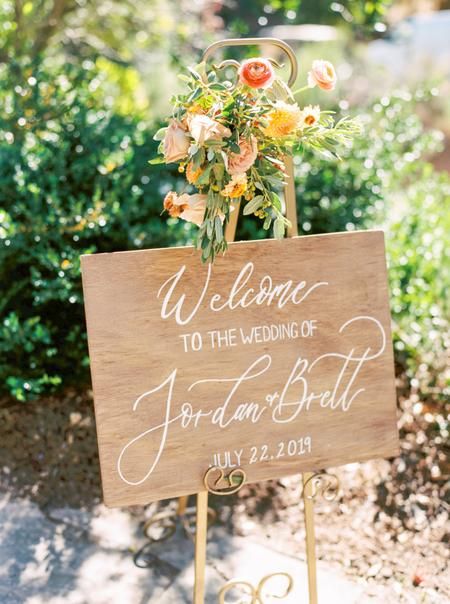
Your welcome page is the first thing guests will see, so it should clearly set the tone and confirm they’re in the right place.
Include:
- A short greeting to welcome guests
- Your wedding date and location
- Optional: a favorite photo or design element that reflects your style
Pro tip: Keep this page simple and inviting – it’s your guests’ first impression!
Need help wording this? Wedding Website Welcome Message Examples
2. Schedule of Events
This is one of the most visited sections on any wedding website. Guests want to know exactly what’s happening, where they need to be, and when.
Include:
- Ceremony time and location
- Reception details
- Additional events like welcome drinks, rehearsal dinner, or recovery brunch
- Start and end times for each event
Pro tip: Lay this out as a visual timeline to make it easy for guests to see exactly how your celebration will flow.
Explore more: How to Plan a Multi-Day Wedding
3. Travel and Accommodation Details
If guests are traveling or you’re planning a destination wedding, this section is essential!
Include:
- Recommended hotels and accommodation options
- Nearby airports and transport options
- Parking and shuttle details
Pro tip: Organising a hotel block and including the booking link makes things much easier for out-of-town guests.
Helpful guide: How to Book a Hotel Room Block For Your Wedding Guests


4. RSVP Form and Due Date
Your RSVP page is where you’ll collect guest responses directly through your wedding website, making the process smoother for everyone involved.
Include:
- Online RSVP form with:
- Names
- Attendance confirmation
- Meal preferences or dietary requirements
- Plus-one information
- Additional questions like transport or song requests
- RSVP deadline
Pro tip: Make sure this is immediately visible on your wedding website so guests know where and how to respond!
Get inspired: What to Include in Your Wedding RSVP Form
5. Frequently Asked Questions
An FAQs page on your wedding website is one of the easiest ways to improve the guest experience.
Common questions include:
- Can I bring a plus-one?
- Are kids invited?
- Where should we park?
- Will there be transport between venues?
Pro tip: If you’ve already answered a question once, it belongs on your FAQs page!
Learn more: 12 Essential Questions to Include on Your Wedding Website FAQs Page
6. Gift Registry
Your wedding website is the most appropriate place to share gift registry details with guests.
Include:
- Direct links to your registry (or multiple registries)
- Notes about alternative gift options (e.g. wishing well, charity donation)
Pro tip: Don’t include gift registry details on your invitations – this can be seen as an etiquette faux pas.
Need help wording this? Wedding Gift Registry Ideas and Wording Examples

7. About Us/Love Story
Including your love story adds a personal touch and helps guests feel more connected – especially if they don’t know both of you well.
Include:
- A short version of “how we met” or your proposal story
- Optional: engagement photos or a video
Pro tip: Display your love story as a photo gallery or collage with key milestones if you want to keep it simple.
Get inspired: How to Write Your Wedding Website About Us Story
8. Wedding Party Introductions
Introducing your wedding party helps guests put faces to names and understand who’s who on the day!
Include:
- Names and roles of your wedding party
- Optional: fun bios or how you met each person
Pro tip: Including a photo or illustration of each person makes this section more engaging and memorable.
See examples: How to Write Your Wedding Party Bios
9. Dress Code
Clear dress code guidance helps guests feel confident about what to wear – and avoids awkward outfit mishaps.
Include:
- Dress code details (e.g. black-tie, formal, cocktail)
- Color preferences, if any
- Practical considerations (e.g. heels not recommended for a beach ceremony)
Pro tip: If you have a specific vision or color palette in mind, link to a Pinterest board or provide a few visual examples.
Helpful guide: Dress Code Wording Examples for Your Wedding Website


Bonus Pages to Consider
If you want to take your wedding website one step further, these optional pages and elements can enhance the guest experience:
- Photo upload link: Create a dedicated place for guests to share their pics after the wedding.
- Countdown timer: To build excitement as the big day approaches.
- Local recommendations: Share restaurants, cafes, and things to do for guests making a weekend of it.
- Guestbook: Encourage guests to leave a message after the day, or to wish you well if they can’t attend.

Ready to Build Your Wedding Website?
Start building your wedding website for free with our easy-to-use drag-and-drop website builder!
Explore our fully customizable templates, or browse our website showcase to see how real couples have brought theirs to life.
Need a step-by-step guide? Start here: How to Create a Wedding Website (With Examples)